
Skip to content
AnarDara Reliable Solutions

Anardara University Website

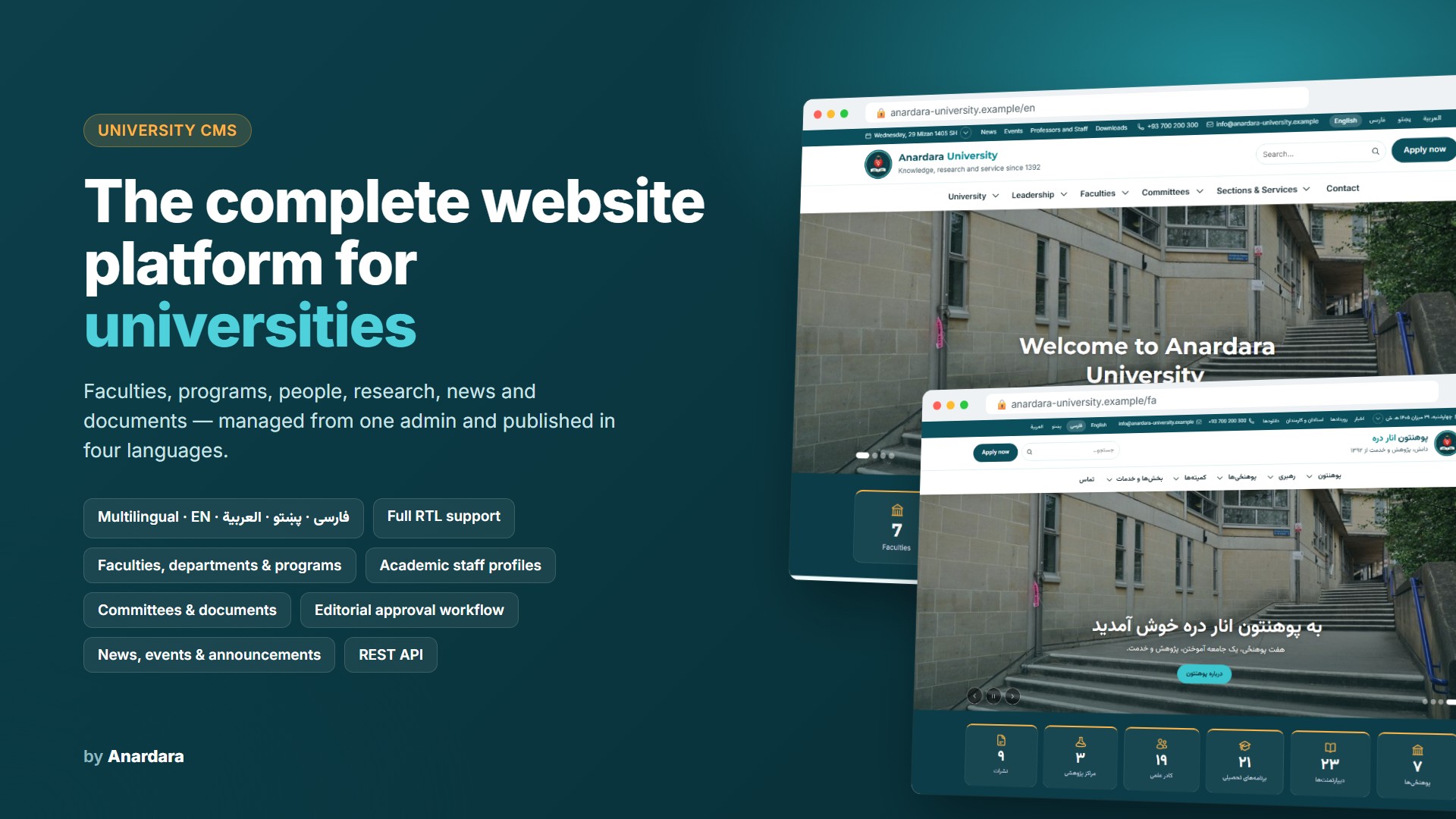
A multilingual website and content management system for universities, in English, Dari, Pashto and Arabic. It covers faculties, departments, programs, professors, research, committees, news and events, and administrators can change the whole design themselves.

0 sales 21 views 0 downloads
Anardara University Website

Anardara University Website is a complete website and administration system built for universities and higher-education institutes. It presents the whole institution in one place: faculties and departments, study programs and courses, professors and staff, research centers and publications, committees, leadership and offices, news, events, announcements and official documents.

The site works in English, Dari, Pashto and Arabic. Right-to-left layouts, Afghan Solar Hijri dates and local digits are built in. Each page can be translated separately, and when a translation is missing, visitors see a clear note.

Administrators control the design without writing code. The Appearance editor changes the logo, colours, fonts, header, footer, menus and slider. All changes are saved as a draft, previewed on the live site and then published. Thirteen ready-made templates are included, and administrators can save their own designs. Contrast is checked automatically, so text stays readable.

Each faculty and department gets its own landing page, and editors choose which sections it shows. A built-in approval workflow, revision history and role-based permissions let a central team and faculty editors work safely side by side.

The website runs on ordinary shared hosting with cPanel. It installs through a step-by-step web installer, with no command line needed.

Features

  • - Four languages: English, Dari, Pashto and Arabic, with full right-to-left support
  • - Solar Hijri, Lunar Hijri and Gregorian dates in the top bar; visitors can switch between them
  • - Faculty and department landing pages: introduction, dean's message, vision and mission, departments, people, programs, research, events, documents and contact
  • - Study programs with degree level, duration, credits, learning outcomes, admission requirements, courses and syllabi
  • - Directory of professors and staff with search, filters, an A–Z index and detailed academic profiles
  • - Research centers, research projects and publications, with author profiles linked
  • - Committees with mandates, members, meetings and minutes; confidential committees stay private
  • - Leadership, vice-presidencies, administrative offices and university services
  • - News, articles, blog posts, announcements and events, with categories and tags
  • - Homepage builder: hero slider, figures counted automatically, leadership message, faculties, news, a call-to-action band, a notice board and more
  • - Mega menus with tabs, a mobile-friendly menu and site-wide search with filters
  • - Downloads centre for official documents, with public and private files
  • - Appearance editor and 13 design templates, with draft, preview and publish
  • - Editorial workflow: draft, review, approve, publish and schedule, plus revision history
  • - Roles and permissions, including editors limited to one faculty or department
  • - Contact form with routing to the right office, and spam protection
  • - Search-engine features: clean addresses in every language, sitemap, and language links for search engines
  • - Accessibility: keyboard navigation, screen-reader labels and readable contrast
  • - Read-only data feed for future mobile apps
  • - Self-hosted fonts and images; no paid services required

Stack and requirements

  • - PHP 8.3 or newer with the pdo_mysql, mbstring, intl, gd (with WebP), fileinfo and openssl extensions
  • - MySQL 5.7+ / 8.x or MariaDB 10.4+
  • - Shared hosting with cPanel, or any web server with PHP
  • - About 150 MB of disk space, plus space for your photos and documents
  • - An SSL certificate (HTTPS) is recommended

Documentation

Every release includes a step-by-step installation guide:

  • creating the subdomain and the database;
  • importing the database with phpMyAdmin;
  • uploading the files;
  • running the web installer, which checks the server, connects to the database and creates the first administrator.

The guide also covers what to do after installing (HTTPS, e-mail setup, turning a demo into a live site) and a troubleshooting table for common hosting issues. A separate release-notes file and checksums (to verify the downloaded files) come with every version.

Reviews

Only verified buyers can write reviews. Log in

No reviews yet.

Community discussions

Ask the community

No discussions about this product yet. Ask a question or share your experience.

You may also like